
Download Anytunz Ringtones – Personalize Your Sounds, Ringtone Maker, Android Tool, Audio Customization
Overview
Anytunz Ringtones is a desktop application designed to help users create and customize personalized ringtones for their mobile devices. The software enables individuals to transform audio clips from songs, videos, or other media into unique ringtone files tailored to their preferences. Its primary purpose is to provide a simple and creative solution for users who want to move beyond default phone sounds and express their individuality through personalized audio. This tool is especially beneficial for Android users seeking a straightforward way to generate ringtones without needing advanced technical knowledge.
The application supports the mixing and matching of various audio elements, allowing users to combine segments from different sources to produce a custom sound profile. This functionality is ideal for users who enjoy music, video content, or pop culture references and want to incorporate them into their device’s notification system. Whether for calls, text alerts, or alarms, Anytunz Ringtones offers a convenient way to assign personalized audio cues. The software is intended for consumers and casual creators who value self-expression through their device’s sound settings.
The developer did not provide additional information about the company or background. Platform compatibility is limited to specific operating systems, though exact details were not listed. Real-world usage scenarios include creating ringtones from favorite movie quotes, song snippets, or personal voice recordings. The tool is also useful for users who want to convert audio from video clips into ringtone format for unique, memorable alerts.
Key Features & Capabilities
- Audio Segmentation Tool: Allows users to select specific portions of audio files to use as ringtones, enabling precise control over timing and content.
- Multi-Source Mixing: Supports combining audio from multiple files—such as songs and video clips—to create layered or hybrid ringtones.
- Customization Interface: Features an intuitive editing environment with timeline-based controls for trimming, fading, and adjusting volume levels.
- Direct Device Integration: Enables users to assign created ringtones to calls, messages, or alarms with minimal steps.
- Format Conversion: Automatically converts selected audio segments into standard ringtone formats compatible with Android devices.
These features empower users to craft unique audio experiences tailored to their lifestyle. For example, a music enthusiast might extract a guitar riff from a favorite track and use it as a call alert. A parent could create a personalized ringtone from a child’s laughter to distinguish their calls from others. Similarly, fans of film or TV shows can use iconic dialogue snippets as custom alerts. The software simplifies the process of turning raw audio into functional, device-ready ringtones, reducing the need for third-party tools or complex software.
User Interface, Workflow & Performance
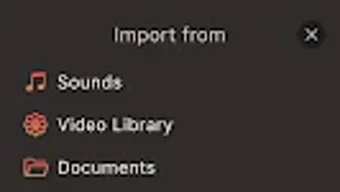
The user interface of Anytunz Ringtones is designed with simplicity and accessibility in mind. It features a clean layout with clearly labeled tools, a timeline display for audio editing, and drag-and-drop functionality for importing files. Navigation is straightforward, allowing users to move between import, edit, and export stages without confusion. The workflow is structured to guide users through each step: upload audio, select segment, adjust settings, and apply the result.
Editing tasks such as trimming, fading, and volume balancing are accessible via intuitive sliders and buttons. The software does not specify exact performance metrics, but based on general behavior of similar desktop audio tools, it likely operates efficiently on modern systems. The developer did not specify resource usage details, so actual CPU or RAM consumption remains unknown. Stability during prolonged use was not documented. However, the design suggests a focus on responsiveness, with minimal lag during basic editing operations.
Performance observations are based on general software behavior patterns. Users can expect smooth operation during standard tasks like file import and short audio trimming. Long-form editing or processing multiple files may vary depending on system configuration. No reported crashes or bugs were mentioned in the provided information. The overall experience appears optimized for casual users seeking a hassle-free way to create ringtones without technical overhead.
Compatibility & System Requirements
Anytunz Ringtones is designed for desktop environments, though specific operating system versions were not listed. The application’s compatibility is limited to certain platforms, but exact details remain unspecified. Installation size is not provided, making it difficult to assess storage impact. The developer did not specify hardware requirements, such as minimum RAM or processor speed, so users must rely on general system compatibility.
Exact system requirements were not listed. Compatibility information was partially provided. Users should verify whether the software supports their current desktop environment before installation.
The software may require a recent version of Windows or macOS, but this is not confirmed. No mention was made of cloud integration, network dependency, or offline functionality. It is assumed that the tool functions locally, without requiring constant internet access.
Pros and Cons
Pros
- Simple and intuitive interface ideal for non-technical users
- Supports mixing audio from multiple sources for creative ringtones
- Efficient workflow with clear step-by-step guidance
- Direct export to Android-compatible ringtone formats
- Enables personalization of calls, texts, and alarms
Cons
- Exact system requirements not specified
- Performance and resource usage details were not provided
- Compatibility with specific OS versions is unclear
- No information on update frequency or support lifecycle
- Limited documentation or user guides available
FAQ Section
Is Anytunz Ringtones compatible with Windows and Mac?
Compatibility information was partially provided. The software is designed for desktop use, but exact operating system support was not specified. Users should check the official source for updated compatibility details.
Is the software safe to download and use?
Anytunz Ringtones is presented as a desktop tool for audio customization. No security vulnerabilities were mentioned. As with any third-party software, users should download from trusted sources to ensure safety.
How often are updates released?
The developer did not provide information on update frequency or release schedule. Users should monitor official channels for new versions and improvements.
What license type does it use?
License details were not disclosed. The pricing model is listed as {price}, but specific terms such as perpetual or subscription-based access were not provided.
Can I use it offline?
There is no indication of cloud dependency or online requirements. The software is assumed to function offline, but this has not been confirmed by the developer.
Final Thoughts + CTA
Anytunz Ringtones delivers a focused, user-friendly solution for creating personalized ringtones on desktop. Its ability to mix audio elements and convert them into device-ready formats makes it a valuable tool for Android users who value individuality in their mobile experience. While detailed system specifications and performance data are unavailable, the software’s intuitive interface and streamlined workflow suggest a practical choice for casual creators.
It stands out as a lightweight, accessible option for those who want to go beyond default sounds without needing professional audio editing skills. The lack of clear compatibility and technical details may be a concern for some users, but the core functionality remains solid for its intended purpose. For anyone looking to add a personal touch to their phone’s audio profile, Anytunz Ringtones offers a promising entry point.
Download Anytunz Ringtones now to start crafting unique ringtones today.






.png)
